Camera-guided tai chi · Runs in the browser · Free
Your pose,
never your picture.
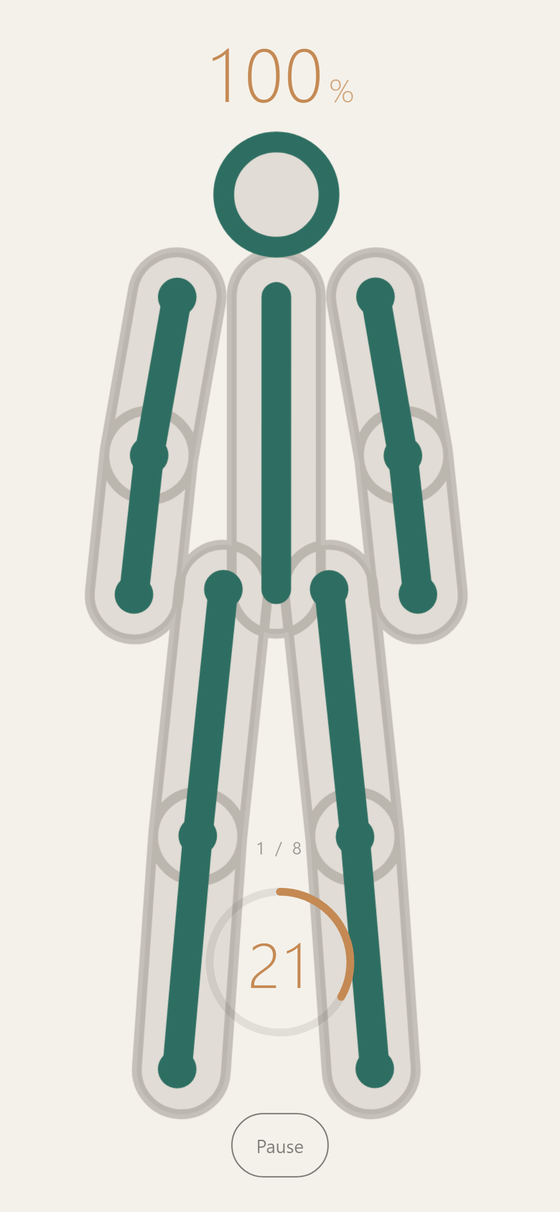
GhostFlow is a free tai chi practice app that runs in a phone browser. The selfie camera tracks your body entirely on this device — the video feed is never shown, never uploaded, never stored. What you see instead is your own skeleton in jade, and a translucent ghost holding the shape you are moving toward, limb by limb, with a live alignment percentage. Eight poses in the beginner flow, a one-time calibration, no account, nothing to install.
How it works
Calibrate once, then follow the ghost.
Prop your phone in portrait where it can see all of you, and step back. Nothing else is asked of you — no belt, no mat, no login screen.
Calibrate
Stand in an A-pose — arms out at about 45°, feet under your shoulders — and hold for two seconds. GhostFlow measures your proportions so the ghost is retargeted to your body rather than to a stock one.
Follow the ghost
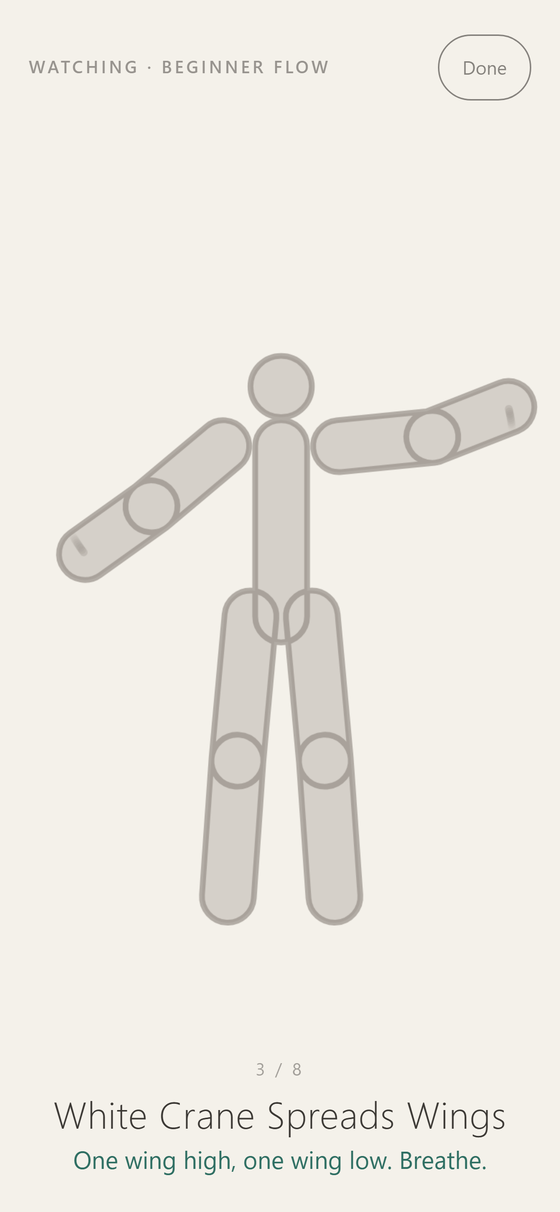
A translucent silhouette settles into the next shape and waits. You travel there in your own time; the ghost is a target, not a metronome, and the pose has a name and a one-line hint underneath it.
Read your limbs
Each limb turns jade as it arrives, so a stray forearm is visible without reading a word. An alignment percentage and a hold timer sit above and below — and when the pose settles, the session advances on its own.
Modes
Four ways to practise.
Settle into each shape
A sequence of postures with hold timers that advance when you have actually arrived, not when the clock says so. Beginner Flow is eight poses; Short Flow is shorter.
The form as one movement
No stops. The ghost travels the whole sequence unbroken and you try to stay with it; afterwards you are told roughly how far behind you were travelling.
Assembles itself
Pick a length and a complexity ceiling; the routine is drawn from the pose library to fit, mixing repeated movements with shapes to settle into. Nothing above your ceiling is used.
No camera at all
The whole practice plays through as ghost-only, with names and hints. It is the answer to "what am I agreeing to?" — you can see everything before the camera is asked for even once.
Privacy
The camera feed has nowhere to go.
Pose tracking runs in your browser with MediaPipe’s Pose Landmarker model, which is downloaded once and executed on your own device. There is no server behind GhostFlow — no account, no upload endpoint, no analytics inside the app.
- The camera image is never drawn to the screen. You see a skeleton, not yourself.
- No video, image or landmark data is transmitted anywhere.
- Nothing is recorded or saved — only your settings and calibration, in this browser’s local storage.
- Revoking the camera permission leaves watch mode fully usable.
Honest requirements
What it actually needs.
| A phone, propped | Portrait, far enough back that it sees you head to foot. A desktop webcam works too, but the app is built for a propped phone. |
|---|---|
| A current browser | Safari, Chrome, Edge or Firefox, kept up to date. WebAssembly and Canvas 2D are required, and GPU acceleration makes it noticeably smoother. |
| Camera permission | Granted per site by your browser, and only used for on-device tracking. Watch mode never asks for it. |
| First load | About 18 MB — the 5.8 MB pose model plus the MediaPipe WebAssembly runtime. Your browser caches it; later visits are the 460 KB app bundle. |
| Light | Enough of it that a camera can see your outline. Tracking degrades in the dark like any camera does. |
| Cost | Free. No account, no tier, no email box to fill in. |
Questions
What is GhostFlow?
GhostFlow is a browser app that turns your phone’s selfie camera into a mirror that shows your posture instead of your face. It reads your body position on-device with a pose model, draws your skeleton, overlays a translucent ghost of the tai chi posture you are aiming for, and grades each limb as you settle. It is calm rather than clinical: no scores to beat, no streaks, no coach shouting. Practices come from the 24-form family of movements — commencement, white crane spreads wings, wave hands like clouds, single whip.
Does GhostFlow record or upload video?
No. The camera stream is fed into a pose model running inside your browser tab and is discarded frame by frame. It is never rendered to the screen, never written to disk, and never sent over the network. That is the whole design constraint the app is built around.
Does it work offline?
Not in this version. GhostFlow ships no service worker, so the first load of a session needs a connection; your browser’s ordinary HTTP cache will usually serve the model and runtime again after that. Offline caching is a deliberate omission, not an oversight — a stale cache in front of a multi-megabyte model is a worse bug than a page that needs the network.
Can I install it on my iPhone or Android phone?
Yes. GhostFlow is a PWA with a web manifest, so Share → Add to Home Screen on iOS, or Install app on Chrome for Android, gives you a full-screen portrait icon that opens straight into the practice with no browser chrome around it.
Do I need an account?
No. There is nothing to sign up for and nowhere to sign in. Your chosen flow, pace, complexity and calibration live in this browser’s local storage and travel nowhere.
Is it free?
Yes — free to use, with no paid tier and no feature gating. It is one of a set of free tools at seveneves.ai.
Prop the phone. Step back.
More from Seveneves